Making it yours
Add or remove pages
One page or several: add a page for your prices, your team or your work, and put it in the menu.
- 1
Open Pages
On Make it yours, open the Pages tab. The page itself steps aside while you are here, and Back to the page returns to it.
- 2
Add a page
Choose what the page is for and give it a name. It arrives with example parts you can change or take away; + Add a part offers the ones that suit it.
- 3
Move between pages
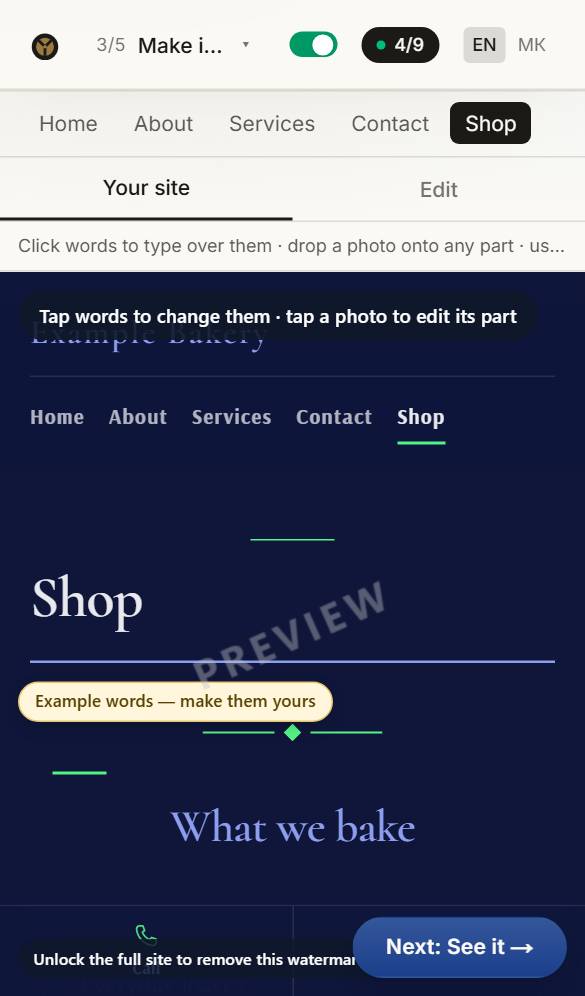
Your pages are at the top of the builder, each with a small picture — a house for the home page. On a phone, press the page button at the top left.
Questions about this
Where do the photos come from?
Your site starts with photos chosen for your kind of business, free to use. Replace any of them with your own — your own photos always look best. Press Photo on a part to upload one, or to choose from yours and our free ones.
Can I change the look later?
Any time before you buy, and your words and photos come with you. After buying, reopen the site for editing and change anything: the first three reopenings are free.
Can I have my site in two languages?
Yes. Any language can be translated automatically in the builder with writing credits (8 a language). The translation is done by machine, not checked by a person, so read it over — or have someone who speaks the language read it — before you publish.